10 Game-Changing Reasons to Install iOS 26 Beta 4 Right Now
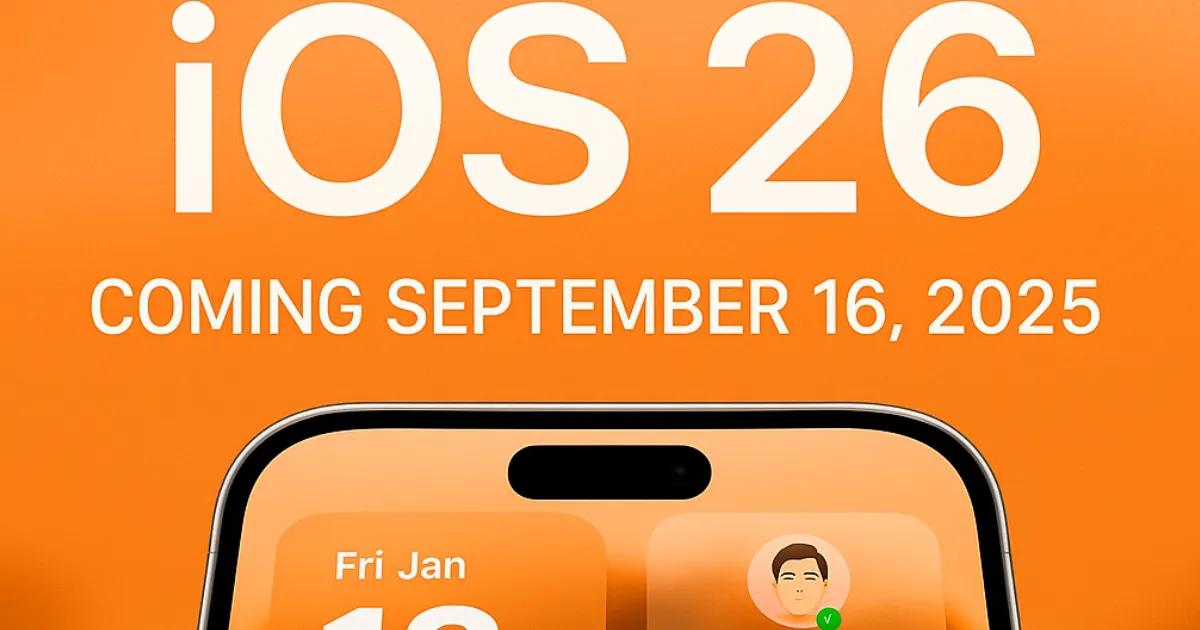
Apple’s fourth developer build, iOS 26 beta 4, is more than a routine update—it’s a polished preview of the fall launch. Below, discover ten standout upgrades, learn exactly how to download the build, and see if your iPhone makes the cut.
What’s New in iOS 26 Developer Beta 4?
- Liquid Glass revival – Apple dialed back the “frosted” look from beta 3; beta 4 restores the deeper translucency across toolbars, Control Center, and Notification Center for a vivid, depth-rich UI.
- Dynamic wallpapers – A fresh shifting background adapts to light / dark modes on iPhone and CarPlay, delivering 18 total style permutations.
- AI-powered notification summaries – Smart digests for news stories return, now with clearer disclaimers to avoid headline mix-ups.
- Silence Unknown Callers 2.0 – New filters let you ask unknown numbers to state their purpose before you pick up, or mute them entirely.
- Camera glow-up – A cleaner icon, onboarding splash screen, and more intuitive mode switcher streamline point-and-shoot moments.
- Apple Maps Preferred Routes – Beta 4 previews smarter commute notifications and alternative route suggestions when traffic snarls.
- CarPlay wallpaper shuffle – Nine brand-new designs swap automatically between day and night themes for cohesive in-car aesthetics.
- Performance & battery tweaks – Under-the-hood optimizations tackle beta 3’s idle drain and heat spikes, keeping sessions cooler and longer-lasting.
- Welcome splash screen – First-time updaters see concise walkthroughs of flagship features, perfect for newcomers ahead of the public beta.
- Bug blitz – Dozens of stability fixes squash random UI freezes, Wallet crashes, and Messages rendering glitches reported in earlier builds.
How to Get iOS 26 Beta 4?
- Enroll at developer.apple.com with your Apple ID (free tier works).
- Backup via iCloud or Finder—beta software can bite.
- On iPhone, visit Settings › General › Software Update › Beta Updates and choose iOS Developer Beta (build 23A5297i).
- Download & Install (2 GB+), then follow the on-screen setup splash.
- Enjoy—and be ready for hotfixes as Apple polishes the public beta.
Compatible iPhones
If your handset runs iPhone 12 or newer—including SE (2nd gen)—you’re golden. The iPhone 11 series and earlier devices sit this round out, marking a shift in Apple’s support window.
8 Ways iOS 26 Beta 4 Elevates Everyday Use
- Seamless readability: Lock-screen darkening boosts text contrast over vibrant backgrounds.
- Files QuickLook: Peek at docs without launching full apps for snappier workflows.
- Wallet order tracking: Beta 4 refines parcel updates inside Wallet, now with clearer status alerts.
- Recovery Assistant: Restore an iPhone without tethering to a Mac—perfect for travellers.
- Messages polls: Apple Intelligence gently proposes poll cards in group chats (supported models).
- Live Translation expansion: On-device AI now covers Messages, Phone, and FaceTime for real-time clarity.
- Adaptive wallpapers in CarPlay: Cohesive day/night palettes reduce eye strain on long drives.
- Battery health context: Estimated time-to-full now factors charger wattage for realistic predictions.
That’s mention number 7 of iOS 26 beta 4—one more to go!
Looking Ahead to the Full iOS 26 Release
Apple targets mid-September alongside the iPhone 17 lineup, but expect incremental betas first. If you followed iOS 26 beta 2 earlier this month, you’ll notice the UI polish is night-and-day.
Internal roadmap
Rumours point to UI elements, Liquid Glass, and dynamic wallpapers landing day one, while heavier Apple Intelligence features could stagger into 2026 point-releases.
Why Upgrade Now?
Early adopters shape the final build by submitting feedback. Installing iOS 26 beta 4 today (eighth appearance!) nets you smoother visuals, smarter calls, and bragging rights—months before general users taste the redesign.
About the Author: Sarah Zimmerman is a seasoned crypto and Web3 news writer passionate about uncovering the latest developments in the digital asset space. With years of hands-on experience covering blockchain innovations, cryptocurrency trends, and decentralized technologies, she strives to deliver insightful and balanced news that empowers her readers. Her work is dedicated to demystifying complex topics and keeping you informed about the ever-evolving world of technology.

Sarah Zimmerman
Published on Other News Site








Recommended
Sodann schlie?t BetsAmigo welches Rangordnung ein Top-2 Verbunden...
02 April, 2026 | 2 readers
Anabolisants et efficacité en combustion des graisses
02 April, 2026 | 2 readers
Immortal Romance Vein out of Silver Stormcraft Studios Banana Spl...
01 April, 2026 | 2 readers
Descubra uma Seleção Antiióàico infantilidade Slot online Pil...
01 April, 2026 | 2 readers
Juguetear Gonzo's Quest Gratuito ¡Explora desplazándolo hacia e...
01 April, 2026 | 2 readers
Trending This Week
Related News
Sodann schlie?t BetsAmigo welches Rangordnung ein Top-2 Verbunden-Casinos bedingungslos erst als
2 April, 2026| 0 readers
Anabolisants et efficacité en combustion des graisses
2 April, 2026| 0 readers
Descubra uma Seleção Antiióàico infantilidade Slot online Pilot Jogos
1 April, 2026| 0 readers
How HGH Accelerates Recovery After Intense Training
1 April, 2026| 0 readers
Det finns flera positiva aspekter med Super Money casinobonus
1 April, 2026| 0 readers