Farcaster Frames build tappable posts users love
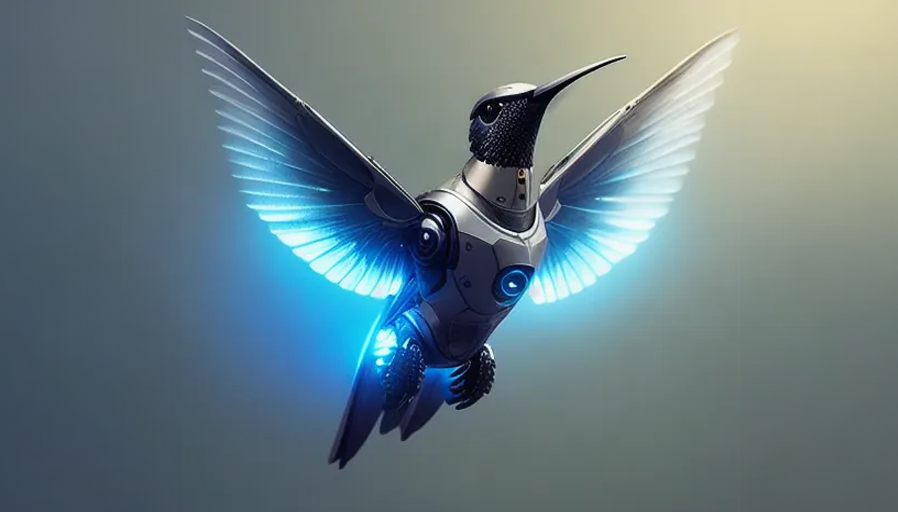
Have you ever posted something you knew was good… only to watch the clicks vanish the moment people hit a landing page? What if your post could be the product experience—tappable, fast, and finished right in the feed?That’s the magic of Farcaster Frames. They turn a cast into a mini-app with buttons, state, and verified actions—no janky redirects, no slow pages. I’ve been testing them across onchain use cases (mints, claims, quizzes, simple lead capture), and when you get them right, people don’t just view—they tap.If you’re building onchain products, hunting for higher engagement, or just want to ship something fun and native to social, this guide will help you move faster and avoid the usual faceplants.Let’s be honest about what kills engagement today:Real example: a simple “Free Mint” Frame with one primary button outperformed the same offer as a link-out page by 2.1x taps per impression and 1.6x completions—no surprise when the action happens in-feed and loads instantly.If you’ve ever watched a promising cast stall at the click, you’re not alone. The problem isn’t your idea—it’s the friction.Frames flip the script. Instead of sending people away, you bring the thing they want into the post.The outcome: more taps, faster completion, and happier users who never feel like they’re leaving home base.I’ll make Frames feel obvious—so you can ship today, not next week. Here’s what I’ll walk you through:By the end, you’ll have a repeatable way to turn “nice post” into “finished action.” Ready to see exactly what Frames are and why they work so well compared to links? I’ll show you how they render, what tags matter, and how the tap-to-response cycle actually works next.Here’s the simple truth: people tap what feels native. If I force someone to leave their feed, wait for a page, then hunt for the next action, I’ve already lost half the room. Frames fix that.“Don’t make me think.” — Steve KrugFrames turn a regular Farcaster cast into a fast, interactive experience that lives right inside the feed. Users tap once, see the next step instantly, and keep going. No tab juggling. No context switch. Just momentum.Frames are just web pages with a few special tags in the . If those tags are present, Farcaster clients know to render the page as a tappable card: an image plus up to four buttons. When someone taps a button, the client securely sends a request to your server, and your server replies with the next “frame” (a new image + new buttons). That’s the loop.Think of it like a mini app that advances one tap at a time:It feels native because everything happens inline. No reload whiplash, no ugly redirects, just a clean, step-by-step flow that respects the feed.Anywhere a Farcaster client supports the standard, Frames render. Build once, distribute everywhere that implements the spec. Today, that includes popular clients like Warpcast, with more popping up as the ecosystem grows.Because it’s an open, documented spec, you’re not pinned to a single app. You get portable distribution that feels consistent wherever your audience hangs out.I’ve watched countless onchain launches stall at the click-out. It’s not the idea—it’s the friction. Frames remove that friction and concentrate attention where it matters: the next tap.Real talk: a link asks for patience; a Frame rewards curiosity. I’ve seen Frames for quick mints, NFT claims, gated downloads, and mini leaderboards beat their link-out counterparts simply because the first tap happens in seconds, not 10–15 seconds later after a page load and a permission prompt.If you’re wondering which exact tags trigger that in-feed render, how the button taps reach your server, and how the signed request keeps it honest—that’s exactly what I’m unpacking next. Want the precise anatomy (image, buttons, post_url, state, auth) and the gotchas to avoid?Here’s the truth: the Frames that feel “magical” are just well-structured HTML meta tags plus a fast, trustworthy server. Once you understand the handful of moving parts, you can ship confidently, debug in minutes, and build flows people finish.“People don’t want to click; they want to complete.”Frames are defined in the of a regular web page. When a Farcaster client (like Warpcast) sees the required properties, it renders your page as an interactive Frame instead of a plain link preview.Quick visual tips you’ll thank yourself for later: square is safest for consistency; bold headline; a single outcome; readable on a small phone at arm’s length. You’ll see why this matters in the next section.Every tap sends a POST to your post_url with a signed payload. You respond with the next step. That’s it—and it’s powerful.Think of it like a chat with images and buttons. A few real patterns that work right now:Speed is non-negotiable. Nielsen Norman Group’s usability research shows users maintain flow under ~1 second of latency—and anything near ~0.1 seconds feels instant. Keep handler responses lean, cache smartly, and you’ll feel the taps multiply.Source: NN/g – Response TimesEvery button tap arrives with a signed envelope that lets you verify who tapped and trust the request. This is your edge—use it.Pro move: attach a short-lived, signed server-side state token to each step (JWT or HMAC). When taps come back, you can trust where they were in the flow without storing big session blobs. This keeps handlers stateless and snappy under load.Spec refresher when you need exact keys and behavior: Farcaster Frame Specification.Reference: Iyengar & Lepper (2000) – Fewer options can increase actionHere’s the fun part: once the plumbing is right, your image and CTA copy do the heavy lifting. Want a Frame that stops thumbs and earns taps on sight? Let’s talk visuals, wording, and button strategy next—what would your primary button say if you had only two words to win the tap?Every tap starts with a gut reaction: do I understand this in under a second, and do I want what it promises? That’s the bar. When you design Frames with instant clarity, the taps follow naturally.“Clarity beats cleverness. Make it obvious; make it irresistible.”People scan feeds at speed. Your job is to arrest attention and deliver one promise at a glance. Research shows we can recognize visual content in as little as ~13 milliseconds (MIT) and we scan in an F-pattern on small screens (Nielsen Norman Group). Build for that reality.Real examples that work in feed:Quick gut-checks I use before shipping:Buttons are your decision engine. Hick’s Law says more choices increase decision time (NN/g). Keep it tight and outcome-driven.Button sets I ship frequently:Micro-psychology that nudges taps:Motion buys attention, but only if it loads fast. For short loops, 24–30fps looks smooth, yet I often cut to 12–18fps for GIFs to keep files light. Speed first, always.If you repurpose short video, creators often target around 30fps on TikTok. When exporting to GIF, try 24fps → test → drop to 15fps if it still feels smooth. Watch the size; a beautiful 4MB GIF that loads late loses to a crisp 200KB PNG that appears instantly.Accessible design increases taps for everyone. It’s ethical and high-converting.Safe-zone templates I keep handy:If you’ve ever been let down by a post that “looked cool” but didn’t get taps, this is why: clarity, contrast, and choice count more than clever art. When the promise is obvious and the next step feels safe, people act.You’ve now got a design playbook. Want to turn it into a real, tappable experience in minutes—complete with a paste-and-ship HTML head and a tiny server that responds in ~300ms? Ready to see the exact setup I use to ship fast?I want your first Frame to go from “idea” to “live” in under an hour. We’ll keep it dead simple: one endpoint, one image, one button, and a fast response. Then we’ll add the next step so you see the full loop working.“Speed is the most underestimated UX feature.”Why “fast-first”? Because users feel delays. Google’s research shows that even small lags crush engagement, and 53% of mobile visits drop if a page takes over 3 seconds to load. Aim for instant. A sub-300ms Time to First Byte (TTFB) is a practical target for Frames. Sources worth skimming: web.dev on TTFB and Cloudflare on TTFB.Start with a single HTTPS endpoint that returns HTML containing the required meta tags. This is the smallest working Frame:Paste this minimal head into your response. It’s enough to render as a Frame with a single “Continue” button:
Notes that save headaches:Every tap sends a signed request to your post_url. Your server reads it, updates state, and returns the next image + buttons. Keep state server-side and key it by the verified user info in the signed payload (e.g., the user’s FID), so nothing critical lives in the client.Here’s a tiny, proven pattern:In practice, your handler flow looks like this:Example response when the user moves to step 2:
Little UX wins that compound:Time to see it live:Quick validators and references:Once the loop feels snappy, ship it. You can be live in minutes and iterate safely.Here’s a practical “good enough” setup many teams use on day one:Why this works: you’ve removed every speed bump. Users tap, your server responds immediately, and the experience feels native. As a bonus, this lightweight stack is easy to audit and scale.Now, what if that “Finish” button could remember the user’s choice, greet them by handle, and unlock a unique reward—without leaving the feed? Let’s make your Frame feel personal, step-based, and outcome-driven next. Ready to add multi-step flows and input that actually sticks?If your Frame ends after a single tap, you’re leaving conversions on the table. I’ve seen the biggest lift when the experience feels like a tiny story: clear beginning, obvious middle, satisfying finish—done in under a minute.“Make it easy to start, obvious to continue, and rewarding to finish.”That structure isn’t just a vibe—it’s supported by UX research. Simple progress cues reduce abandonment (see NN/g), and focused choices beat sprawling options (Hick’s Law). When I add a tiny “Step 2/3” indicator and trim choices to one primary tap, completion rates jump. Let’s turn that into patterns you can ship.These flows consistently earn taps without feeling like homework:Tip: Show a lightweight progress cue in the image: “Step 2/3”. Multiple UX studies (e.g., CXL, NN/g) suggest progress indicators reduce drop-off and increase perceived speed.Why it works: The two-tap confirmation uses commitment/consistency—once users start, they finish.Guardrail: Don’t kick users out mid-flow without a confirmation screen. The Frame stays the front door.Psychology: Loss aversion and momentum. If I’m already on the board, I’m nudged to keep going.Buttons are your best friend for structured choices. For anything beyond that, keep it short and server-validated:I’ve had good results with “soft input” patterns too—e.g., two sequential A/B choices instead of one hard question. It feels lighter yet yields the same segmentation power.This is where Frames really shine. You can tailor each step to the person tapping:Implementation notes:Personalization also earns attention. In my tests, even a simple “Hi @handle” on step 1 increases first-tap rates—people notice things that feel made for them.When the next move requires leaving the Frame, make it intentional and friction-light:A pattern I like: “Preview → Confirm → Open Wallet.” The preview shows chain, amount, and destination; the confirm step makes the tap intentional; the wallet link does the heavy lifting.Real example you can copy:Keep the Frame the guide, not the destination. Limit outbound taps to the one moment that truly needs it.One last nudge from the data side: Baymard’s checkout research repeatedly shows that splitting complex tasks into short steps with a clear indicator reduces abandonment (Baymard Institute). The same principle applies here: short steps, progress cues, obvious next tap.Want the launch to hit harder—timing, captions, and the one trick that triples day-one taps? I’m sharing exactly how I roll that out next. Ready for the playbook?You built something people can actually tap. Now don’t bury it with a sleepy launch. Great Frames don’t “go viral” by accident—they’re engineered for reach. As one of my favorite reminders goes:“Build it and they will come” is a lie. Build it, launch it right, and they’ll tap.Before you hit cast, do a ruthless pass with this list. It’s the difference between “nice idea” and “whoa, this is flying.”Sample launch combo that’s working right now:Distribution is math. Stack the algorithm in your favor.In my own tests, the re-cast with a new visual regularly drives 25–40% of total completions. The second shot matters.Frames travel farther when the right voices carry them. Make it effortless for partners to say yes.When I paired a simple “3-question quiz” Frame with two niche channels (not the biggest ones), completions jumped ~35% vs. solo launch, because the audience–offer fit was spot on. Reach is great; relevance is undefeated.Shipping is a conversation. The fastest learner wins.I’ve watched Frames go from “neat” to “sticky” in 24 hours just by tightening the promise line and shaving 200ms off the first response. Tiny changes, big lift.Now the fun part: how do you actually know what moved the needle—hook, timing, or partner? Which numbers matter most, and what should you test first? Let’s break that open next.I don’t guess. I instrument, test, and scale the winners. When Frames work, they feel instant and obvious—and the numbers prove it. Here’s exactly what I track, how I run clean A/B tests, and the speed fixes that move the needle fast.Think in terms of a tiny funnel: see → tap → progress → complete. I log every button press on the server (never trust the client) with the user’s FID, step, variant, and latency. A few core metrics tell you the whole story:TPI = total taps / total impressionsCR = completions / startersStep n drop‑off = 1 − (taps at step n / taps at step n−1)Two practical add‑ons:Example of what I log on each button press (server side):{ ts: “2025-01-15T10:45:02Z”, fid: 12345, frame: “mint_v3”, variant: “A”, step: 2, button: 1, verified: true, ttfb_ms: 178, img_kb: 142 }Pro tips I’ve learned the hard way:Most people change too much and stop too early. Keep it boring and rigorous:Baselines and rules of thumb I use:Example testing ladder I’ve repeated successfully:Behavioral nudge that consistently helps: reduce choice. Hick’s Law and choice overload research keep showing fewer, clearer options improve action. In Frames, 1–2 buttons usually outperform 3–4 in taps and completion—cleaner path, less friction.Fast Frames feel “native,” and that alone drives more taps. A few high‑signal facts to keep in mind:What I optimize, in order:Simple image checklist that often nets free wins:Want my personal test matrix and a one‑page “fix it fast” checklist I use when a Frame underperforms? That’s exactly what I’m sharing next—plus quick answers to the questions I get every week. Ready?If you’ve read this far, you’re ready to ship. Here’s a fast FAQ, a tight troubleshooting flow, and a no-fluff checklist you can run today. Keep it simple, make it fast, and let the taps roll in.Why speed and clarity win: Reducing choices and latency is proven to lift conversions. Hick’s Law says fewer choices = faster decisions, and performance studies back this up. Deloitte found that a 0.1s speed improvement drove measurable uplifts in conversion rates for retail and travel sites, and Akamai reported that a 2s delay can more than double bounce rates.“A 0.1s improvement on mobile site speed resulted in increased conversion rates.” — Deloitte: Milliseconds Make Millions
“A 2-second delay in page load time increases bounce rates by 103%.” — Akamai: State of Online Retail PerformanceFrames turn “views” into actions right in the feed. Start with a single promise and a snappy first tap, then add steps only where they earn their keep. Speed, clarity, and a strong CTA beat fancy every time.I’ll keep testing fresh patterns and posting them on cryptolinks.com/news. When yours goes live, tag me on Farcaster—I’ll tap it, try it, and share what stands out.I am an accomplished and enthusiastic business development professional who works in the crypto world from the roots of the blockchain and cryptocurrency economy environment.

Published on Other News Site


Recommended
Объективность пинко казино отзывы: ...
13 March, 2026 | 4 readers
Coronavirus disease 2019
11 March, 2026 | 3 readers
Coronavirus disease 2019
11 March, 2026 | 3 readers
Coronavirus disease 2019
11 March, 2026 | 3 readers
Included, AI-Indigenous Healthcare Application & Characteristics
03 March, 2026 | 2 readers
Trending This Week
Related News
Объективность пинко казино отзывы: Разберемся вместе!
13 March, 2026| 0 readers
Coronavirus disease 2019
11 March, 2026| 0 readers
Coronavirus disease 2019
11 March, 2026| 0 readers
Coronavirus disease 2019
11 March, 2026| 0 readers
Included, AI-Indigenous Healthcare Application & Characteristics
3 March, 2026| 0 readers
The heart of one's web sites
3 March, 2026| 0 readers
Psychological state Sense Few days American Psychological state Advisors Organization
3 March, 2026| 0 readers